With thousands of AI tools and vibe-coded apps launching every month, finding the right one — or getting yours noticed — has never been harder. VercelAPP cuts through the noise with a curated, high-signal directory built for makers and teams alike.
VercelAPP is a curated product discovery platform featuring 5,000+ tools and applications across 10+ practical categories. Unlike generic aggregators that dump thousands of unvetted links, VercelAPP applies an editorial quality standard to every listing — so every product you find has been reviewed for clarity, usefulness, and audience fit.
Whether you are a maker looking to launch your next product or a team evaluating tools for your workflow, VercelAPP is designed to help you move from discovery to decision with less friction and more confidence.
VercelAPP organizes its catalog across a wide range of practical categories — from productivity and developer utilities to entertainment, creativity, and AI-native tools. Every listing on VercelAPP must clearly explain who it is for and what problem it solves before gaining any visibility.
The VercelAPP catalog is never static. New launches are processed continuously, and rankings are refreshed daily based on editorial quality, freshness, and measurable engagement signals. When you open VercelAPP, you are seeing today's landscape — not last year's.
Browsing and searching VercelAPP is completely free. Teams evaluating tools can search, filter, compare, and shortlist products without hitting a paywall. VercelAPP lowers the barrier between you and well-made software.
Search on VercelAPP is tuned for real decision-making — not just keyword matching. Start with a use-case keyword, narrow by category and audience, and move from "something like this" to a confident shortlist in fewer clicks.
VercelAPP serves two distinct audiences with one unified platform.
If you are shipping a product, VercelAPP gives you a fair, transparent path to reach users who are actively evaluating tools — not passive scrollers.
Here is what listing on VercelAPP gets you:
The submission process is straightforward: start from the pricing page, complete your submission, and publish once approved by the VercelAPP review team.
👉 Launch Your Product on VercelAPP
When your team needs to evaluate software, VercelAPP replaces endless social media threads and bloated review sites with a focused, structured catalog.
VercelAPP helps teams:
👉 Start Comparing Tools on VercelAPP
VercelAPP is built around a simple three-step workflow that takes you from initial discovery to confident adoption.
Start on VercelAPP with use-case keywords, then narrow candidates by category, target audience, and workflow intent. Your shortlist is relevant from the very first click.
On VercelAPP, compare positioning, ideal users, and practical fit side by side. Quickly remove tools that look promising on the surface but don't match your real workflow requirements.
Use VercelAPP ranking, recency, and quality signals to make a confident final choice — then move from exploration to implementation without second-guessing.
Discovery becomes useful when every click removes uncertainty. — VercelAPP
Whether you are building the next great tool or choosing one for your team, VercelAPP belongs in your workflow.
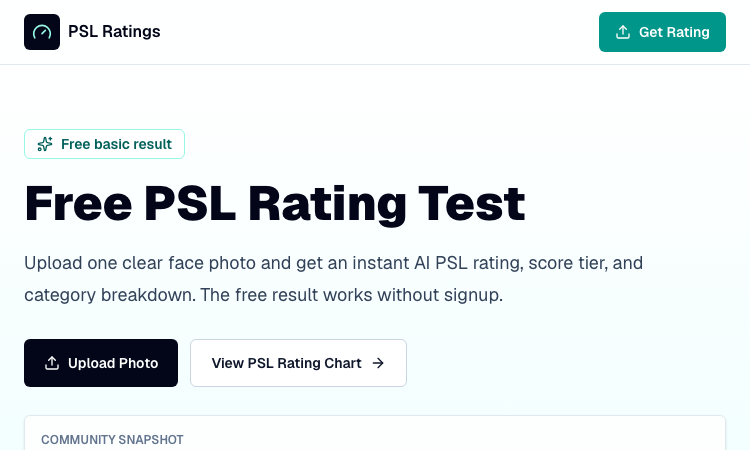
Free PSL Rating scores facial aesthetics on the 1-8 PSL scale with harmony and dimorphism breakdowns.
## Free PSL Rating Free PSL Rating scores facial aesthetics on the 1-8 PSL scale with harmony and dimorphism breakdowns, giving curious users a structured, private way to assess their features through the looksmaxxing framework. The PSL scale offers a more specific category system than a casual 1-10 face rating, and Free PSL Rating makes it accessible through a browser-based tool that requires no signup and stores no images. The experience is designed to be fast and transparent. After a user uploads one clear, front-facing photo, AI models running in the browser analyze visible facial structure and image quality. The tool returns an overall PSL score on the 1-8 scale, a tier label that runs from Very low at the 1-2 range up to Attractive at 6 and beyond, and a plain-English explanation of the result. A photo confidence score indicates how dependable the rating is based on the quality of the submitted image, adding a useful layer of transparency. Free PSL Rating distinguishes itself by unpacking the overall score into four categories. Harmony examines symmetry, proportions, and overall facial balance; dimorphism captures sex-typical structural cues; angularity focuses on the jawline, cheekbones, and lower-third definition; and presentation accounts for lighting, sharpness, skin clarity, grooming, and photo quality. Users also receive a shareable result card showing their overall score, tier, and category results. Because all analysis happens client-side, no uploaded photo is stored on any server. The community has run more than 12,800 free ratings with an average score of 5.4, and a paid advanced report is available through PSL Scale for those who want deeper analysis, while the free tier remains fully usable without an account.
Visit App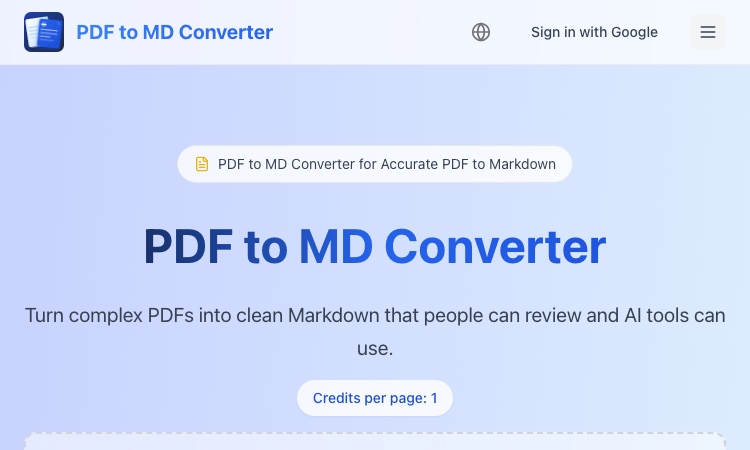
PDF to MD Converter- Create editable Markdown from PDF reports, manuals, and research files.
## PDF to MD Converter PDF to MD Converter is an AI PDF conversion service created for users who want to reuse document content in Markdown-first environments. PDFs are excellent for distribution, but they are difficult to edit, search, republish, or process with AI tools. This product bridges that gap by converting PDF pages into structured Markdown that can be used in documentation platforms, content management systems, knowledge bases, developer projects, and analysis workflows. The converter is aimed at complex files, not just simple text pages. It uses AI layout detection and vision-language models to identify headings, paragraphs, reading order, tables, images, and captions so the exported Markdown remains understandable. This is valuable for manuals, reports, lecture notes, research papers, product guides, and other documents where layout carries meaning. Users can process long PDFs in the background, check results on a task page, and download either Markdown or a ZIP bundle when the conversion includes supporting image assets. PDF to MD Converter supports Chinese and English and uses a transparent credit model based on pages, making it easier to plan larger conversion jobs. It is a helpful tool for researchers preparing source material, technical writers migrating legacy PDFs, educators organizing class content, and AI builders who need cleaner context for retrieval or summarization. By focusing on structure and readability, PDF to MD Converter provides a more practical alternative to basic PDF copy tools and helps turn locked-down documents into flexible, editable Markdown resources.
Visit App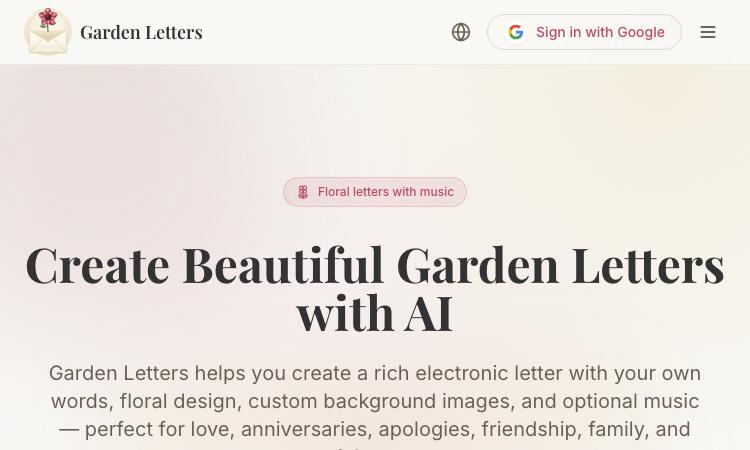
Garden Letters- Build floral keepsake letters with AI art, optional songs, and private links.
## Garden Letters Garden Letters is a creative web app for turning meaningful personal notes into shareable floral letter experiences. It is made for users who want to communicate with more warmth, beauty, and intention than a normal text message can provide. Whether the occasion is a love confession, anniversary, apology, birthday message, family thank-you, friendship celebration, or private memory, Garden Letters helps shape the message into a polished digital keepsake with a ceremonial opening and expressive design. The product blends several creative layers into one flow. Users write or refine a letter, select visual styling, add flowers and card-like presentation, and create a background that matches the feeling of the message. AI can help generate custom imagery, while another optional feature can create music inspired by the letter itself. This combination makes the finished result feel personal and atmospheric rather than automated or generic. The platform also makes AI credit usage clear before generation, so users can decide when and how to use advanced features. Sharing is designed to feel intimate. Letters are private by default and can be sent through a sealed link, giving the recipient a moment of anticipation before reading. Users can also download the finished letter as an image or choose to make it public in the Public Garden. Garden Letters is ideal for people who value emotional detail, visual presentation, and memorable digital communication, offering a refined alternative to simple e-cards and plain AI writing tools.
Visit AppMatch the target color
[Toon Tone](https://toontone.com/) is a visual color-matching game where you tune hue, saturation, and brightness to match a secret target color — no hex codes, no cheating. Just your eyes and the HSB sliders. --- ## What Is [Toon Tone](https://toontone.com/)? [Toon Tone](https://toontone.com/) is a browser-based color perception game. Each game consists of ten rounds. In every round, [Toon Tone](https://toontone.com/) shows you a target color and challenges you to match it as closely as possible using three sliders — Hue, Saturation, and Brightness. Your score is calculated by perceptual distance (ΔE), so the closer your color, the higher your points. In [Toon Tone](https://toontone.com/), "toon" means cartoon. The game draws color inspiration from world-famous comic icons, making [Toon Tone](https://toontone.com/) both a fun challenge and a genuine color study tool. --- ## How to Play [Toon Tone](https://toontone.com/) **Step 1 — Study the Target** The left swatch in [Toon Tone](https://toontone.com/) shows the color you need to match as closely as you can. **Step 2 — Adjust H, S, and B** Use the [Toon Tone](https://toontone.com/) sliders to tune your color. The right preview updates live: - **Hue** — the color angle (0°–360°) - **Saturation** — the intensity of the color - **Brightness** — how bright or dark the color feels **Step 3 — Submit Your Guess** Hit Submit in [Toon Tone](https://toontone.com/) to see your ΔE score and how many points you earned for that round. **Step 4 — Play All Ten Rounds** After all 10 rounds, [Toon Tone](https://toontone.com/) shows a results screen comparing every target color next to your pick. **Step 5 — Start Over Anytime** Use **New Game** or **Play Again** in [Toon Tone](https://toontone.com/) for a fresh set of random target colors.
Visit AppAI Eye Area Evaluation
[Hunter Eyes](https://huntereyes.net/) is an AI-powered eye area aesthetic evaluation tool. [Hunter Eyes](https://huntereyes.net/) analyzes your eye area across six scientific dimensions and tells you exactly how Hunter-like your eyes are — with a clear score, Tier ranking, strengths, weaknesses, and actionable improvement suggestions. [Hunter Eyes](https://huntereyes.net/) offers two evaluation modes: - **Scientific Mode** — Objective, evidence-based eye area assessment - **Roast Mode** — Humorous and satirical evaluation, shareable and fun --- ## Why Use [Hunter Eyes](https://huntereyes.net/)? **Six-Dimension Eye Area Evaluation** [Hunter Eyes](https://huntereyes.net/) scores your eye area across six core metrics — canthal tilt, upper/lower eyelid exposure, eye socket depth, brow-eye distance, and eye shape — to quantify exactly how Hunter-like your eye area is. **Instant Results** [Hunter Eyes](https://huntereyes.net/) returns your total score, Tier rank, community title, and dimension-level breakdown within seconds of submission. **Actionable Improvement Tips** [Hunter Eyes](https://huntereyes.net/) provides safe, non-surgical improvement methods including UUDD exercises, squint training, cold compress, sleep optimization, brow grooming, body fat management, and mewing. **Privacy First** [Hunter Eyes](https://huntereyes.net/) never stores your photos. Images are used only for the current evaluation and deleted immediately after processing. [Hunter Eyes](https://huntereyes.net/) does not share your image with any unrelated third parties. **Long-Term Progress Tracking** [Hunter Eyes](https://huntereyes.net/) supports progress tracking over time. Keep photo conditions consistent and [Hunter Eyes](https://huntereyes.net/) helps you compare total score, Tier shifts, and per-dimension changes to see whether your habits are actually improving your eye area.
Visit AppTurn Feelings Into Words
[ValRequest](https://valrequest.net/) - Turn Feelings Into Words. Love is a feeling; expressing it is an art. Use [ValRequest](https://valrequest.net/) to craft personalized, heartfelt messages that capture your unique story. Make every word count. ## What is ValRequest? [ValRequest](https://valrequest.net/) is an AI-powered tool that creates short, personalized romantic messages. You choose the recipient, style, and keywords; [ValRequest](https://valrequest.net/) gives you three unique options in seconds. ## Key Features **Personalized Message Generation** - [ValRequest](https://valrequest.net/) helps you express your feelings with messages that sound like you—heartfelt, funny, or poetic. Perfect for Valentine's Day, anniversaries, or any day you want to show you care. **Multiple Style Options** - Choose from various styles with [ValRequest](https://valrequest.net/): - 💕 **Heartfelt** - Sincere and touching messages - 😄 **Humorous** - Light-hearted and playful - 🎭 **Shakespeare** - Poetic and classical - 🥰 **Cute** - Sweet and adorable **Flexible Message Length** - [ValRequest](https://valrequest.net/) offers three length options: - 📝 **Short** (1-2 sentences) - 📄 **Medium** (3-4 sentences) - 📜 **Long** (a paragraph) ## How to Use ValRequest [ValRequest](https://valrequest.net/) turns your feelings into words in three simple steps: **Step 1: Choose Recipient & Style** - Select who the message is for (partner, crush, or friend) and pick a tone: heartfelt, funny, poetic, or cute. **Step 2: Add Your Keywords** - Type a few words that describe your relationship or what you want to say—[ValRequest](https://valrequest.net/) uses them to personalize your greeting. **Step 3: Generate & Copy** - Click Generate. [ValRequest](https://valrequest.net/) will create three options. Copy your favorite or save it as an image with [ValRequest](https://valrequest.net/).
Visit App